Put SoCal Racing on your Home Screen.
Follow these steps once. After that, tap the app icon to open the schedule, race check-in, and message board.
Do this on your iPhone. No App Store download or new account is needed. These screenshots show one iPhone browser layout; menus may vary. Follow the red circles and arrows. Tap any screenshot to enlarge it.
Open the browser menu
Open the Driver App on your iPhone, then tap the three-line menu at the left of the address bar, circled in red. If your browser already shows Share, go to Step 2.
Open the Driver App →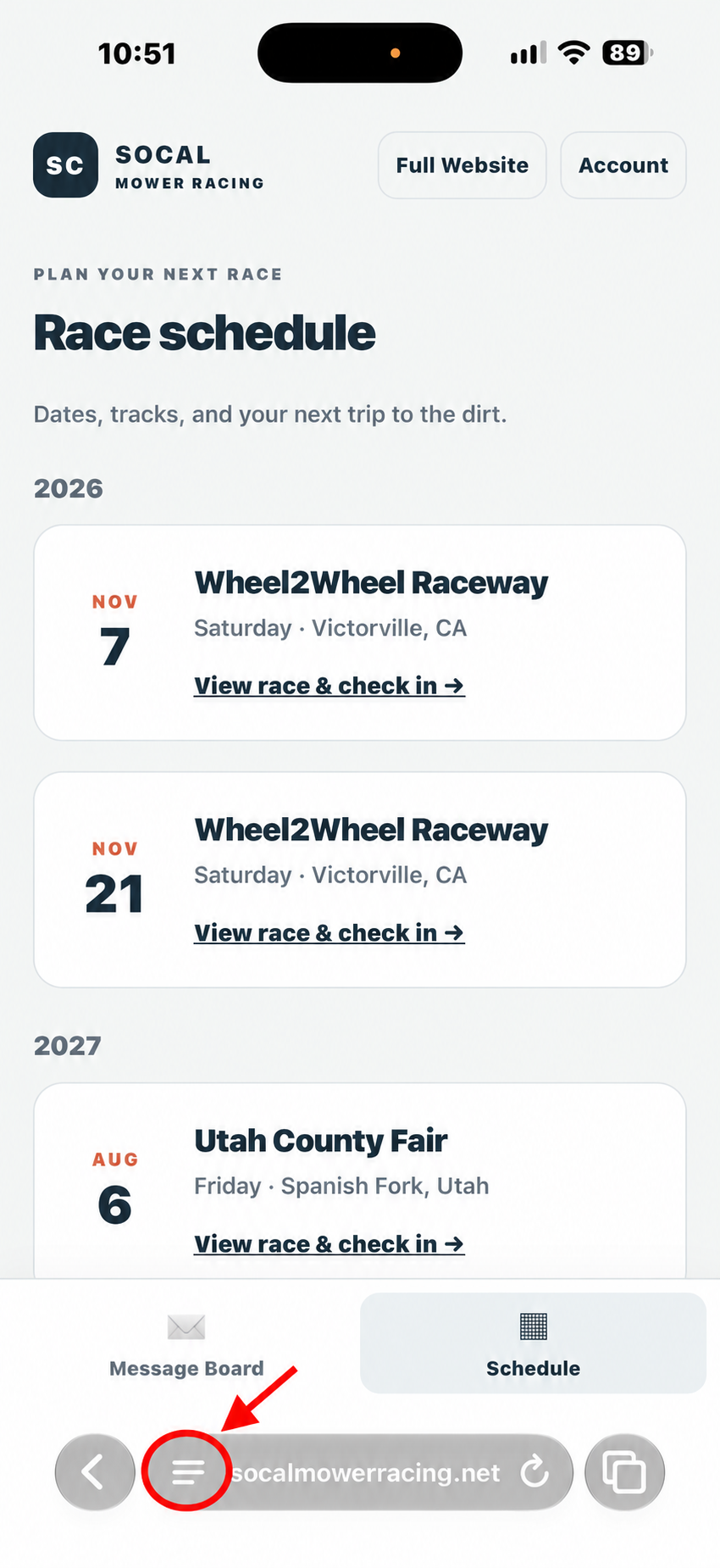
Tap screenshot to enlarge
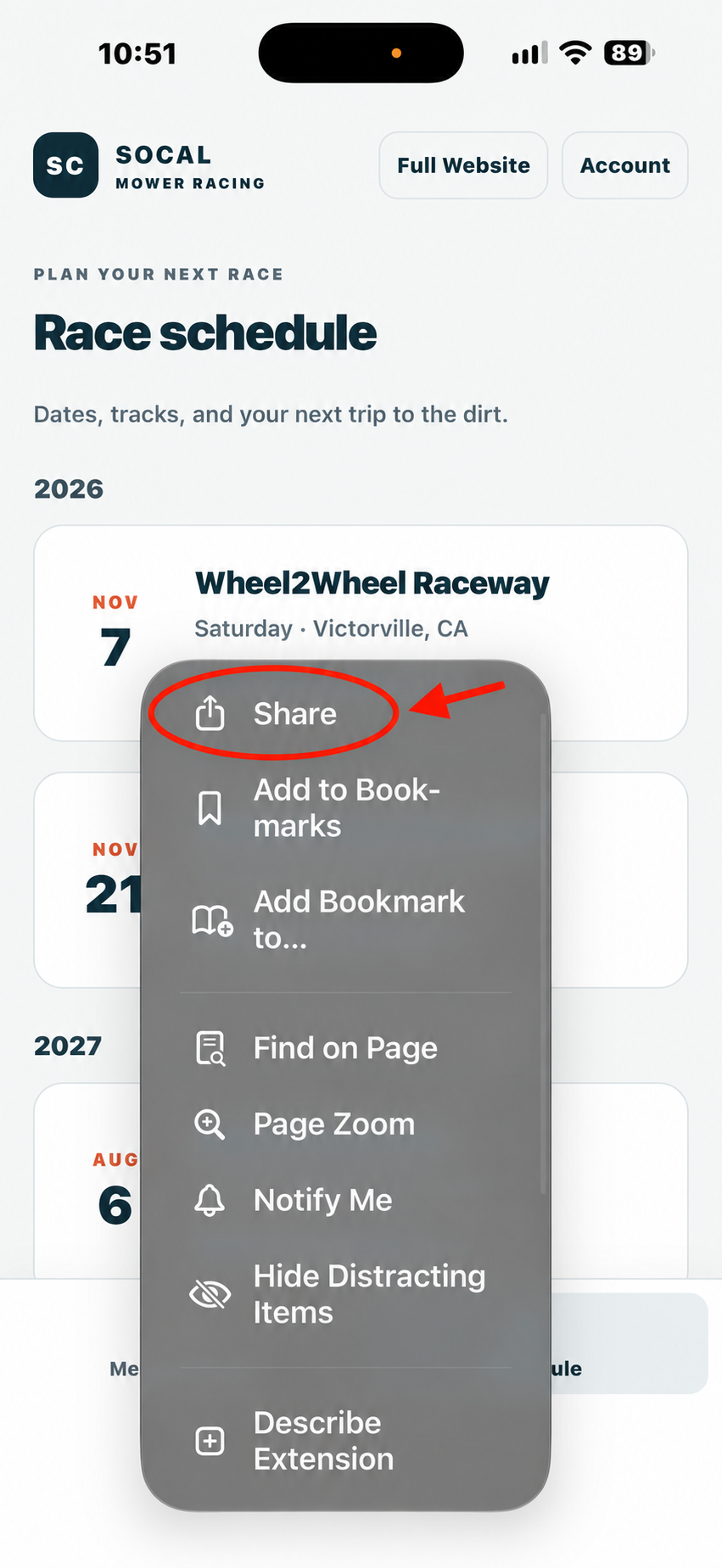
Tap Share
Tap Share at the top of the menu. Look for the square with an arrow pointing upward.
Tap screenshot to enlarge
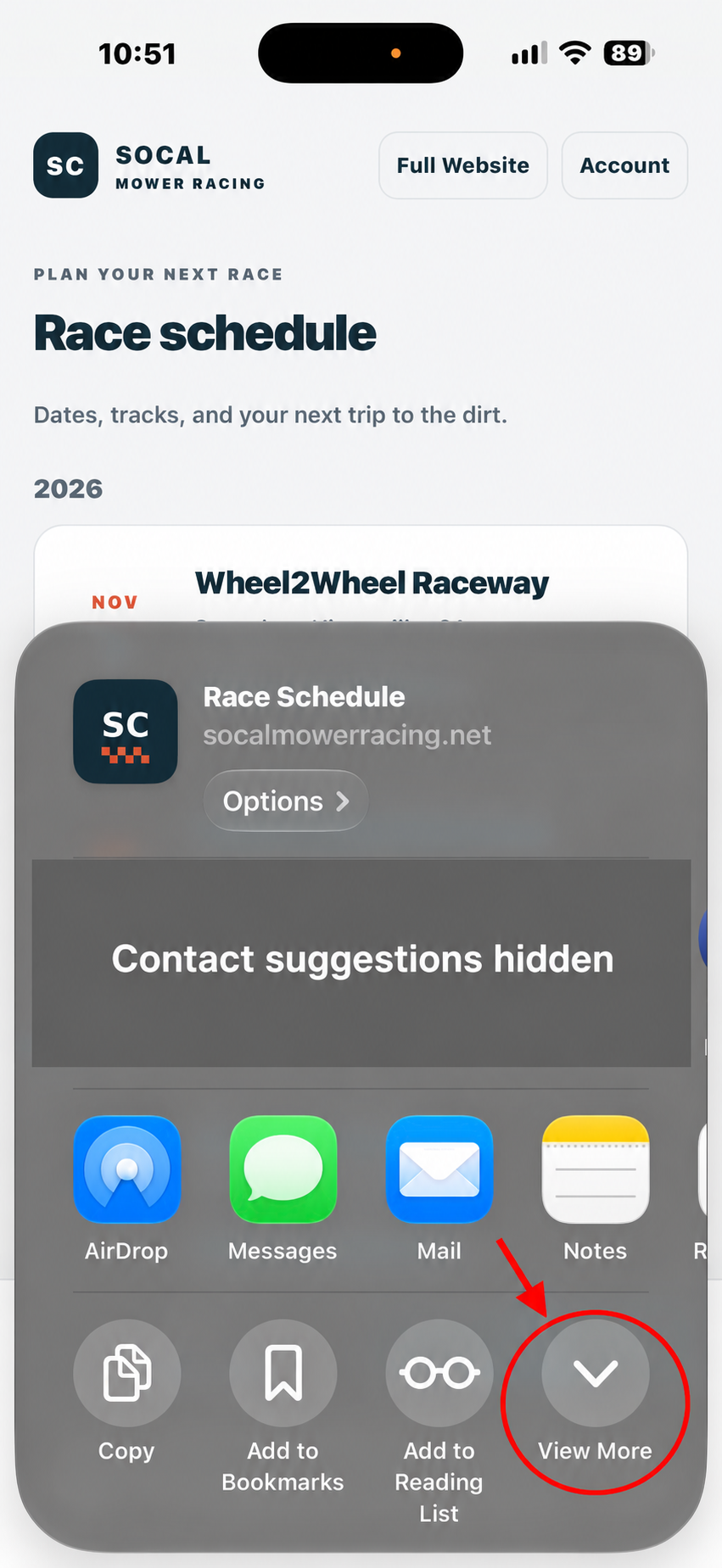
Tap View More
In the Share panel, tap View More at the lower right to reveal the full list of actions. If the full list is already visible, continue to Step 4.
Tap screenshot to enlarge
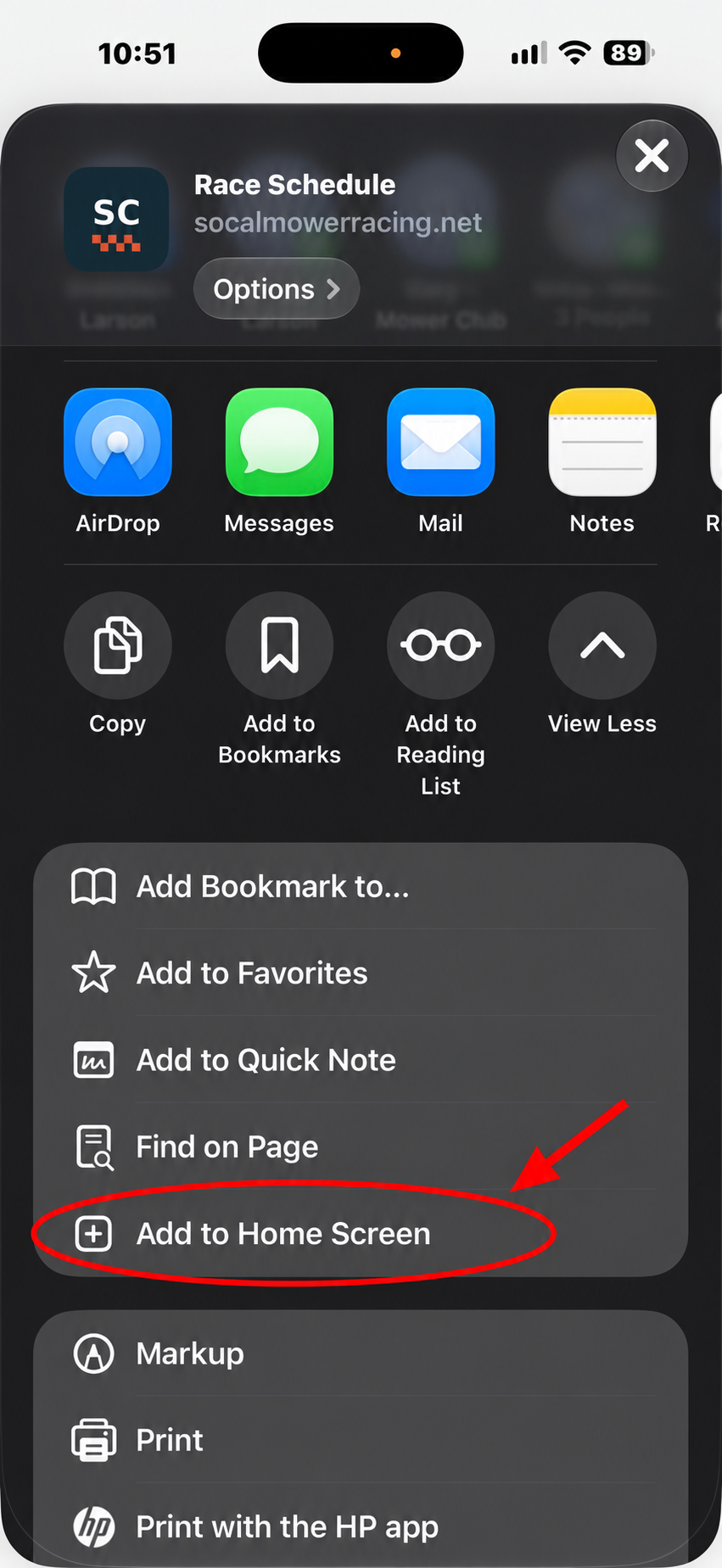
Tap Add to Home Screen
Find Add to Home Screen in the expanded list and tap it. Scroll down if necessary.
Tap screenshot to enlarge
Confirm and tap Add
Keep the app name or choose your own. If Open as Web App appears, leave it switched on. Tap Add to finish.
Open it from your Home Screen
Return to your iPhone’s Home Screen and tap the SoCal Racing icon. Sign in with your existing driver account when needed. Signing in is separate from checking in for a race.
 SoCal RacingYou’re ready to go.
Can’t find Add to Home Screen?
Make sure you opened the Driver App in a full web browser, rather than inside Facebook, Instagram, or an email app. Check the browser’s Share menu and scroll through its actions.
If your preferred browser does not show the option, open the Driver App in Safari and use Share → Add to Home Screen. Some versions place Share inside the More (…) menu.
Make sure the page being added is socalmowerracing.net/driver-app.php, not this guide.
Using Android instead?
Open the Driver App in your preferred browser. Open the browser menu and choose Install app or Add to Home screen, then follow the confirmation steps.
Already added it? Look for the SC icon on your Home Screen. An internet connection is required. Race check-ins use the same driver account and records as the main website.
Open the Driver App →